
Understand the introduction 7 min read
EDID, DDC, Hot-Plug Detect, and Video Negotiation
Trace how a source discovers capabilities and why routing or display power changes can disrupt an otherwise working system.
- Explain source, sink, and repeater roles.
- Describe EDID, DDC, and hot-plug detect.
- Choose fixed or destination-derived EDID deliberately.
- Test video and audio negotiation across room states.
Why an AV engineer should care
A laptop that offers UHD when connected directly may offer only 1080p through a room system. Turning a display off may rearrange the desktop or remove the audio device. These are often capability and connection-state problems, even when the high-speed video path is otherwise healthy.
The source needs an introduction to the connected system. EDID provides much of that introduction.
Source, sink, and repeater
A source produces the signal. A sink receives it, such as a display. A repeater or intermediary receives a signal and provides another output. Matrices, processors, and extension systems can sit between the original source and final display.
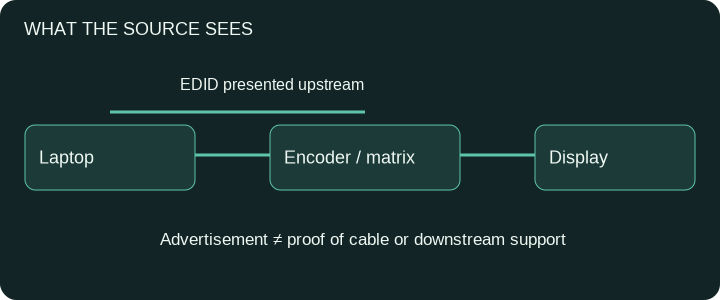
The source does not necessarily read the final display's information directly. An encoder or matrix may present its own stored, copied, selected, or generated capability data. Troubleshooting starts at the device immediately visible to the source.
EDID is a capability description
Extended Display Identification Data describes capabilities such as supported timings and preferred modes. Extensions can add audio formats, color-related capabilities, HDR information, and other details. The base EDID block is 128 bytes, with additional information carried in extension blocks.
Treat it as a capability description rather than a command. The source still chooses an output according to its operating system, driver, application, and preferences. Advertising UHD does not force every laptop to output UHD, and it does not prove that the cable can reliably carry the chosen mode.
Incorrect or unsuitable EDID can create a perfectly stable but wrong format. A valid advertisement is only useful when the actual path supports it.
DDC and hot-plug detect
The Display Data Channel, DDC, is a low-speed management path used for exchanges such as reading EDID. In HDMI it is distinct from the high-speed lanes that carry the picture. A cable can therefore exhibit different problems on its management and video paths.
Hot-plug detect, HPD, indicates connection state to the source. Changes can cause capability re-reading, display re-enumeration, audio-device changes, and renewed authentication. Standby behavior varies by display and intermediary.
A brief connection-state change can be visible to the operating system even if a person did not unplug anything. Some systems maintain stable capability information upstream to reduce those disruptions.
Choose an EDID policy
A fixed EDID presents a stable set of capabilities independent of the currently routed destination. It can simplify guest-laptop behavior. It cannot make an unsupported downstream device accept the advertised format.
A copied EDID reflects a particular destination. A merged or generated EDID may reflect common capabilities or a configured policy. The terms and algorithms are vendor-specific. Inspect what the source actually receives, and save the chosen file or preset name.
For a UHD HDR display and a 1080p SDR confidence monitor, a shared input may need a common format unless the system provides appropriate independent output conversion. Scaling resolution alone does not necessarily solve HDR, color, or audio compatibility.
Audio negotiation matters too
EDID can advertise audio channel counts and formats. If a source sends compressed multichannel audio to a path that expects two-channel linear PCM, the picture may work while audio fails. Specify the intended audio behavior and verify it through the complete route.
Do not assume a display's loudspeaker capability is the right advertisement when audio is extracted upstream for a DSP. The system's actual audio destination should inform the policy.
Two commercial examples
AV-over-IP conference room: Direct connection offers UHD60, while the encoder path offers 1080p. Check the encoder's selected input EDID, its actual format support, and the laptop's output status. Replacing the network switch is unlikely to repair a capability advertisement presented before video ever enters the network.
Training room with confidence monitor: A matrix feeds a UHD projector and a 1080p monitor. Choose a verified common input format or a processor with the required independent conversion. Test both outputs simultaneously, including protected content and audio, rather than verifying each only when the other is disconnected.
Document and test the policy
Record source-facing input, EDID selection or filename, relevant firmware, preferred format, supported fallback, audio advertisement, and destination assumptions. Keep the EDID with the project configuration backup.
Test cold startup in different orders, display power cycling, route changes, laptop sleep and wake, cable reconnection, and endpoint restart. A stable picture after manually fixing the laptop once is not proof of dependable guest operation.
Practical exercise
Connect a test laptop directly to a display and record offered formats and audio devices. Repeat through the installed path. Compare the two sets of capabilities, then power-cycle the display while observing whether the laptop notices a disconnection. Change only one EDID setting at a time and preserve the original.
Compact glossary
- EDID: Extended Display Identification Data.
- DDC: Display Data Channel.
- HPD: Hot-plug detect.
- Sink: Signal receiver.
- LPCM: Linear pulse-code modulation audio.
Review questions
- Does valid EDID prove cable bandwidth?
- What is the main advantage of fixed EDID?
- Why can display standby affect laptop audio?
Answers
- No; management communication and high-speed signal integrity are different.
- Stable source-facing capabilities, when matched to the complete path.
- Connection or capability changes can cause the operating system to re-enumerate its audio destination.
Where this fits
Capability negotiation explains which formats are offered. Next: HDCP explains whether protected content is permitted across the connected path.